How to Simulate Factory Floor Layouts Without Stopping Production

Moving heavy machinery on the production floor is a costly and disruptive process. Relying on static 2D floor plans or trial and error for machine placement often leads to unexpected bottlenecks, safety hazards, and prolonged downtime.
When factory floor space is highly valuable, industrial engineers and facility managers need a way to validate layouts before unbolting a single machine. Moicon provides a 3D, browser-based digital twin of your facility where you can test configurations, calculate clearances, and optimize workflows before committing to physical changes.
Test Layouts Virtually with Asset Placement
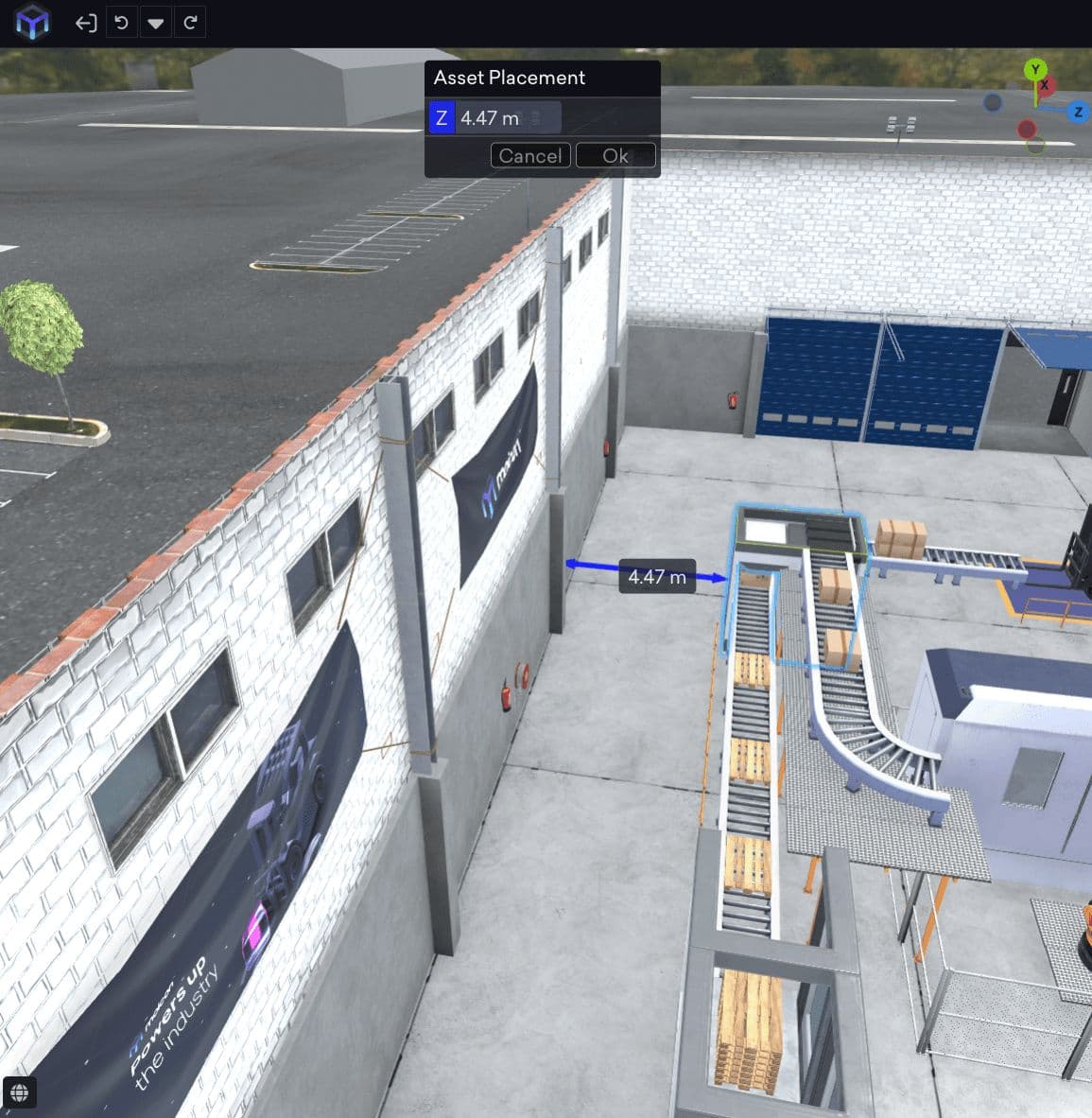
Instead of guessing if a new CNC machine or robotic packaging arm will fit perfectly between existing workstations, Moicon allows you to control the exact relative position of your assets. Using the Placement tool, you can set the exact distance between a piece of equipment and an adjacent machine, wall, or structure. Simply input your desired clearance, and the software automatically locks the asset into its precise new position. This allows you to test tight configurations without interrupting your current output.
Verify Spatial Clearances with the Dimension Manager
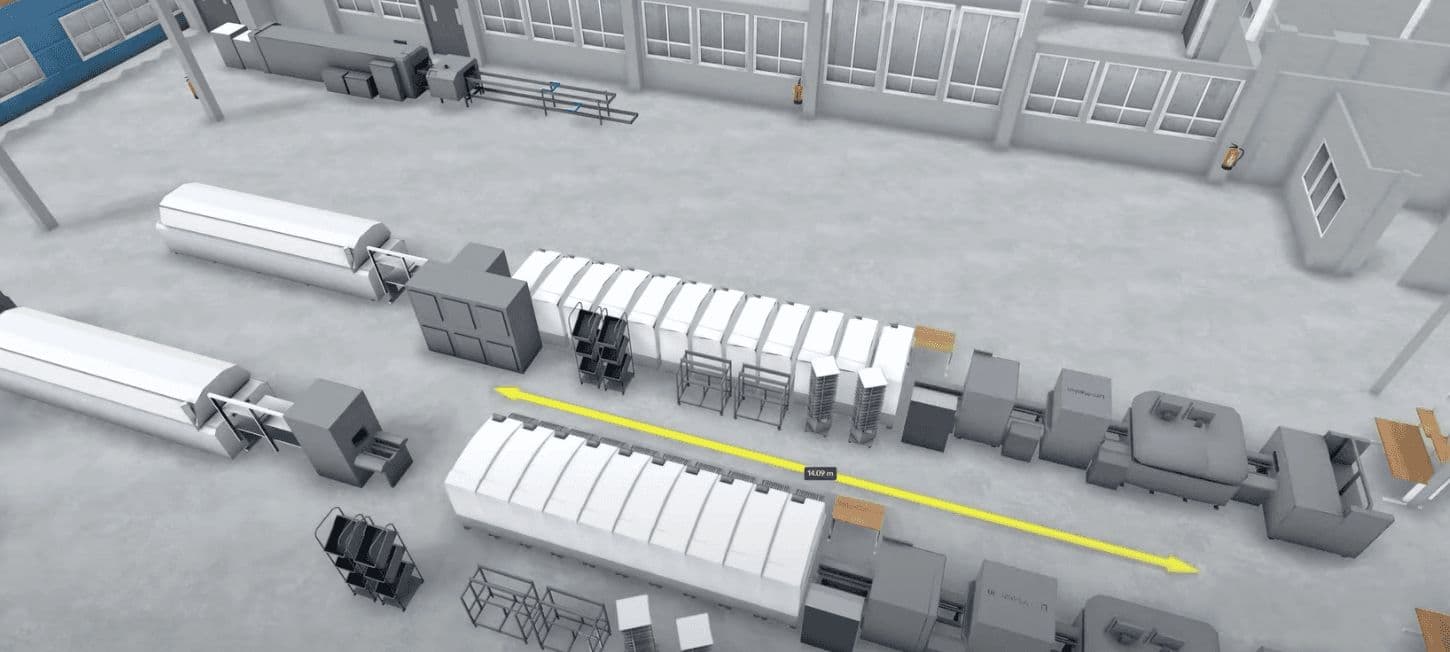
Precision is critical in industrial engineering, and confirming your measurements is just as important as the initial placement. The Dimension Manager acts as your digital tape measure across the entire factory floor, allowing you to measure the exact distance between walls or specific assets directly in the model viewport.
When planning a layout, you can easily measure height, width, and diagonal sizes to ensure proper safety clearances for forklift traffic or assembly cells. You have full control over the precise units of measurement, ensuring your virtual model scales perfectly to your physical floor space before any physical work begins.
Prepare for Production Changes
Whether you are scaling up capacity or reconfiguring for a new product line, scenario planning keeps operations running smoothly. Moicon allows you to create and save multiple project snapshots so you can compare different layout scenarios side by side. Because Moicon is entirely cloud-based, your team can review these 3D models from any standard web browser like Chrome or Edge. This makes it easy to collaborate across departments without requiring heavy software installations or specialized hardware.
Make Data Backed Layout Decisions
By testing your placement strategies in a digital environment, you drastically reduce the risk of expensive mistakes during physical implementation. 3D simulation is the most reliable way to protect your production schedule whether you are planning a minor workflow adjustment or a complete factory overhaul. Stop relying on trial and error for machine placement. Book a demo today to see the Placement and Dimension Manager tools in action.


